Skip to main content
IPTV Sverige | Billigaste & Största IPTV

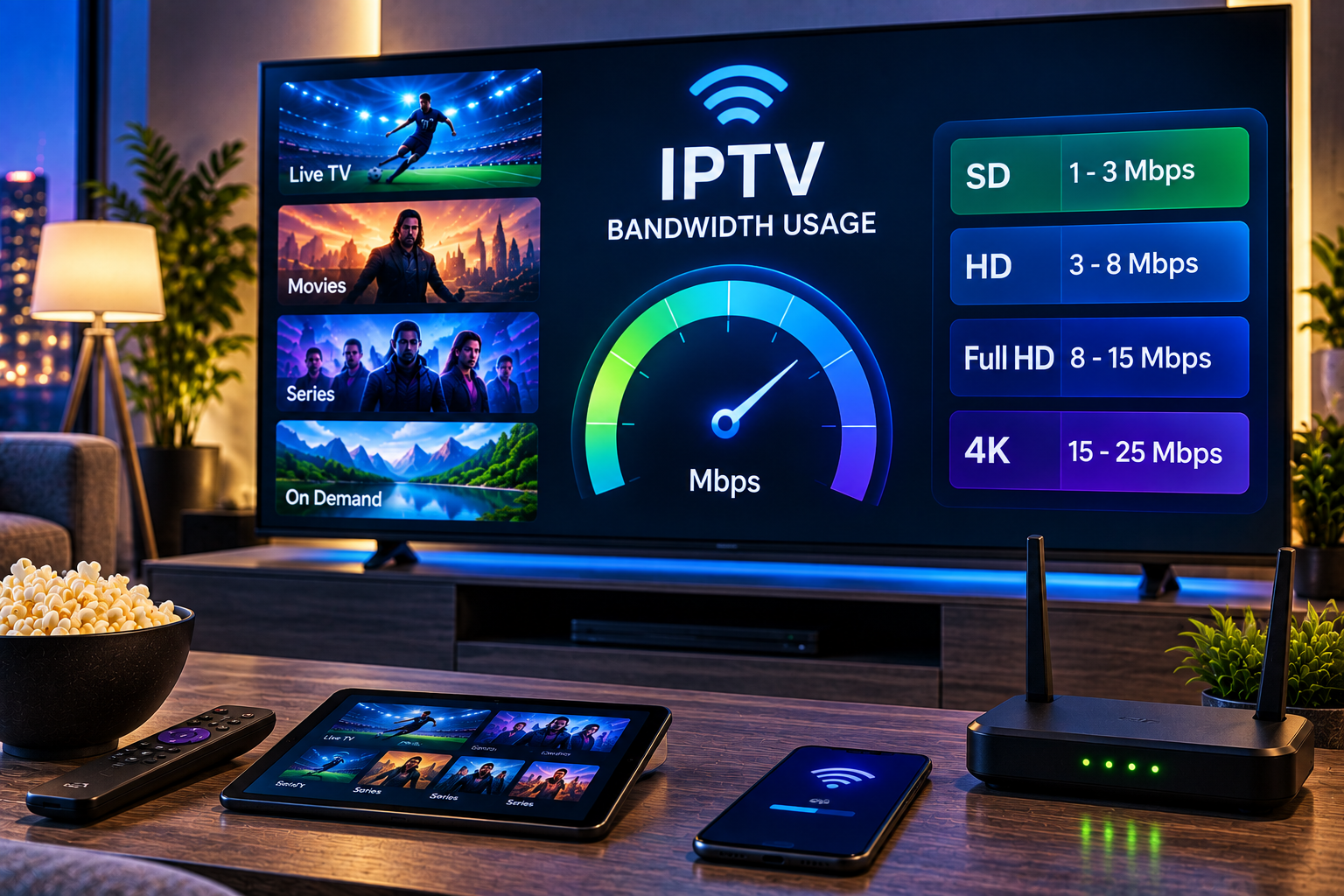
Understanding iptv bandwidth usage matters when you watch live television, sports, movies, or series over an internet connection. Unlike traditional terrestrial or satellite television, IPTV continuously transfers video data while you watch. The amount of data consumed depends mainly on the stream bitrate, picture quality, compression method, viewing time, and number of devices streaming at the same time.
As a practical estimate, an IPTV stream using 5 Mbps can consume around 2.25 GB per hour, while a 20 Mbps 4K stream can use about 9 GB per hour. Actual consumption can be lower or higher because IPTV services do not all encode HD, FHD, and 4K content at identical bitrates. Understanding these differences makes it easier to choose an internet plan and avoid buffering or unexpectedly high monthly data use.
What Does IPTV Bandwidth Usage Mean?
Bandwidth and data consumption are related, but they describe different things.
Bandwidth is the amount of data your internet connection can transfer during a specific period, normally measured in Mbps. Data usage is the total amount transferred over time, normally measured in MB, GB, or TB.
For example, a channel streaming continuously at 8 Mbps needs roughly 8 Mbps of available bandwidth while it is playing. Watch that stream for one hour and it transfers approximately 3.6 GB.
A simple calculation is:
Data per hour in GB = bitrate in Mbps × 0.45
Therefore, a 10 Mbps stream uses approximately 4.5 GB per hour. This calculation gives a useful estimate before allowing for variations in bitrate, protocol overhead, adaptive streaming, and compression.
How Much Data Does IPTV Use Per Hour?
There is no universal number because resolution alone does not determine consumption. Two channels can both be labelled Full HD while using noticeably different bitrates.
Typical IPTV consumption can be estimated as follows:
| Video quality | Typical bitrate | Approximate data per hour |
|---|---|---|
| SD | 2 to 3 Mbps | 0.9 to 1.35 GB |
| HD 720p | 3 to 5 Mbps | 1.35 to 2.25 GB |
| FHD 1080p | 5 to 8 Mbps | 2.25 to 3.6 GB |
| 4K UHD | 15 to 25 Mbps | 6.75 to 11.25 GB |
These figures should be treated as planning estimates rather than fixed limits. Codec, frame rate, HDR, audio quality, and the provider’s encoding settings can change the final amount substantially.
HD IPTV Data Usage
HD IPTV, commonly delivered at 720p, offers a useful balance between picture quality and bandwidth consumption. A stream around 4 Mbps consumes approximately 1.8 GB per hour.
If you watch three hours every evening, that equals roughly 5.4 GB per day. Over 30 days, the same viewing pattern could consume around 162 GB.
HD can therefore be a sensible option when internet speed or monthly data allowance is limited. On smaller televisions, tablets, and phones, the visual difference between HD and higher resolutions may also be less noticeable than it is on a large television.
FHD IPTV Data Usage
Full HD at 1080p generally requires more bandwidth because the stream contains more picture information. A typical FHD IPTV stream might operate between approximately 5 and 8 Mbps.
At 8 Mbps, one hour of viewing represents roughly 3.6 GB. Four hours a day would result in around 14.4 GB daily and approximately 432 GB over a 30 day month.
For households that regularly watch live television, movies, and sports, FHD can therefore account for a significant percentage of monthly internet traffic.
If you want to check the available content before deciding which quality you are likely to use most often, the Sverige IPTV channel selection provides a useful starting point.

How Much Data Does 4K IPTV Use?
4K UHD is the most demanding common IPTV resolution. The picture contains substantially more detail than HD or FHD, and high frame rates or HDR can increase bandwidth requirements further.
A compressed 4K stream at 20 Mbps transfers approximately 9 GB every hour. Watching two hours per day at that rate would consume around 540 GB in 30 days.
At 25 Mbps, consumption rises to approximately 11.25 GB per hour. Four hours of daily viewing at that bitrate could exceed 1.3 TB in a month.
This is why a household that watches substantial amounts of 4K IPTV benefits from an internet subscription without a restrictive monthly data allowance.
Why Two 4K IPTV Streams Can Use Different Amounts of Data
Resolution is only one part of the equation. Compression is equally important.
Modern codecs can deliver comparable perceived quality while transferring less information than older compression technologies. A well encoded 4K stream can therefore consume considerably less bandwidth than another 4K stream using less efficient compression.
Frame rate also matters. Live football at 50 or 60 frames per second can require more data than slower content delivered at 24 or 25 frames per second.
The same principle applies when comparing different services such as Viking IPTV. Labels such as HD or 4K alone do not reveal the exact bandwidth of an individual stream, so real world consumption can vary.
How Much Internet Speed Do You Need for IPTV?
Your broadband speed should be higher than the bitrate of the IPTV stream itself. A 20 Mbps internet connection might technically carry a 20 Mbps stream, but it leaves virtually no capacity for other traffic.
Phones, computers, cloud backups, gaming consoles, security cameras, and other televisions can all compete for the same connection.
For a single FHD stream, having additional capacity above the stream bitrate gives the connection room to handle normal fluctuations. For 4K, a substantially faster connection becomes particularly useful when several household members are online simultaneously.
Multiple IPTV Devices Increase Bandwidth Requirements
Consider a household watching two FHD channels at approximately 8 Mbps each. IPTV alone may require around 16 Mbps at that moment.
Add a 4K stream at 20 Mbps and the combined video demand reaches approximately 36 Mbps before counting any other internet activity.
This is why checking only the advertised broadband speed can be misleading. What matters is how much bandwidth is actually available to the television when everyone is using the network.
WiFi Versus Ethernet for IPTV
A fast internet package does not guarantee that your television receives the full speed.
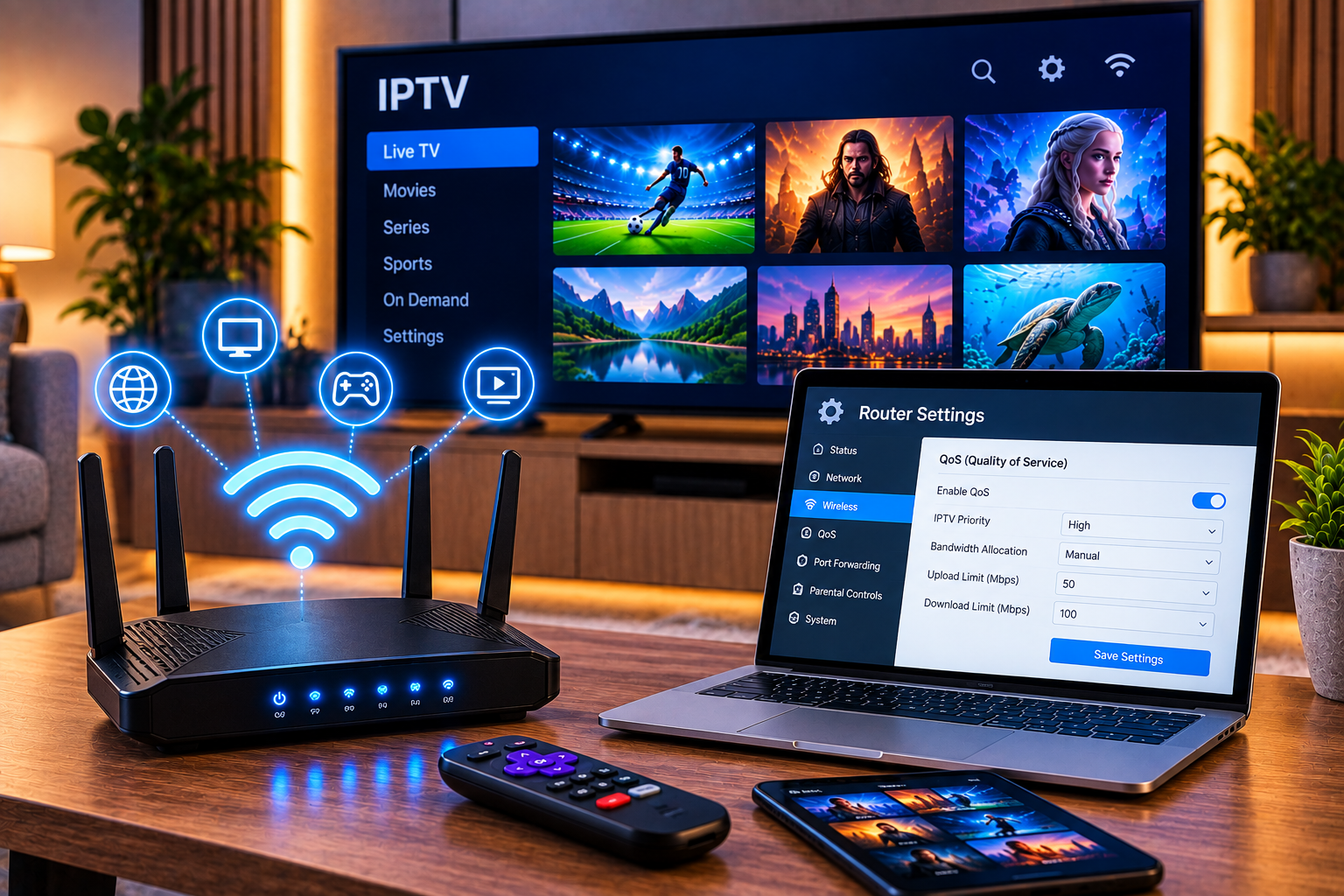
WiFi performance can deteriorate because of distance, walls, neighbouring wireless networks, router placement, interference, or too many connected devices. The result may be buffering even though a broadband speed test near the router looks excellent.
Ethernet provides a wired connection and is often more consistent for a fixed television or IPTV box. When Ethernet is impractical, modern WiFi with a strong signal can still provide smooth HD and 4K streaming.
For device specific setup information, the IPTV installation guide explains how to get started across supported platforms.
Does Buffering Mean You Need Faster Internet?
Not necessarily. Insufficient bandwidth is only one possible cause.
Buffering can also result from weak WiFi, temporary network congestion, overloaded hardware, application problems, packet loss, or issues somewhere between the content source and your device.
A useful test is to compare different channels and devices. If everything buffers, inspect your home connection first. If one channel has problems while others work normally, raw internet speed may not be responsible.
Restarting the router and playback device can also clear temporary problems. Where possible, testing the television over Ethernet helps determine whether WiFi is the bottleneck.
How to Reduce IPTV Data Usage
Reducing picture quality is the most effective way to lower consumption. Moving from a high bitrate 4K stream to FHD can save several gigabytes during a long viewing session.
Avoid leaving channels playing when nobody is watching. Unlike conventional broadcast television, an active IPTV stream continues transferring data.
Also check whether your player offers automatic or adaptive quality settings. These can lower the bitrate when network capacity drops. This can reduce both consumption and interruptions, although behaviour depends on the application and stream.
Estimating Monthly IPTV Data Consumption
Monthly usage becomes easier to understand when you know your approximate bitrate and daily viewing time.
Suppose your household watches FHD at an average 6 Mbps for four hours each day. That represents about 2.7 GB per hour, 10.8 GB per day, and approximately 324 GB over 30 days.
A household watching 4K at 20 Mbps for the same four hours would use approximately 36 GB per day, or about 1.08 TB in 30 days.
These calculations are estimates, but they are far more useful for planning than assuming every HD or 4K stream consumes the same amount.
Frequently Asked Questions About IPTV Bandwidth
How Many GB Does IPTV Use Per Hour?
Consumption depends on bitrate. HD may use roughly 1.35 to 2.25 GB per hour, FHD around 2.25 to 3.6 GB, while 4K can consume roughly 6.75 to 11.25 GB or more.
Is 100 Mbps Enough for IPTV?
For many households, a stable 100 Mbps connection provides substantial capacity for IPTV alongside normal internet activity. Actual performance still depends on stream bitrate, simultaneous devices, WiFi quality, and other network traffic.
Does IPTV Use Data When Paused?
This depends on the player and service. Some applications continue buffering a limited amount of content while paused, while others reduce or stop data transfer. Live television behaviour can differ from video on demand.
Does 4K Always Use More Data Than FHD?
Generally yes when comparing similarly encoded streams, because 4K contains much more visual information. Efficient codecs and different bitrate settings mean that the exact difference varies.
Plan Your IPTV Streaming Around Your Connection
Knowing your IPTV bandwidth usage makes it easier to choose the right picture quality, estimate monthly consumption, and understand whether your home network has enough capacity for several screens. HD and FHD can keep data requirements manageable, while 4K delivers greater detail at the cost of substantially higher bandwidth. When you are ready to match your connection and viewing habits with a suitable subscription, explore Sverige IPTV and choose an option that fits the way you watch television.