Skip to main content
IPTV Sverige | Billigaste & Största IPTV

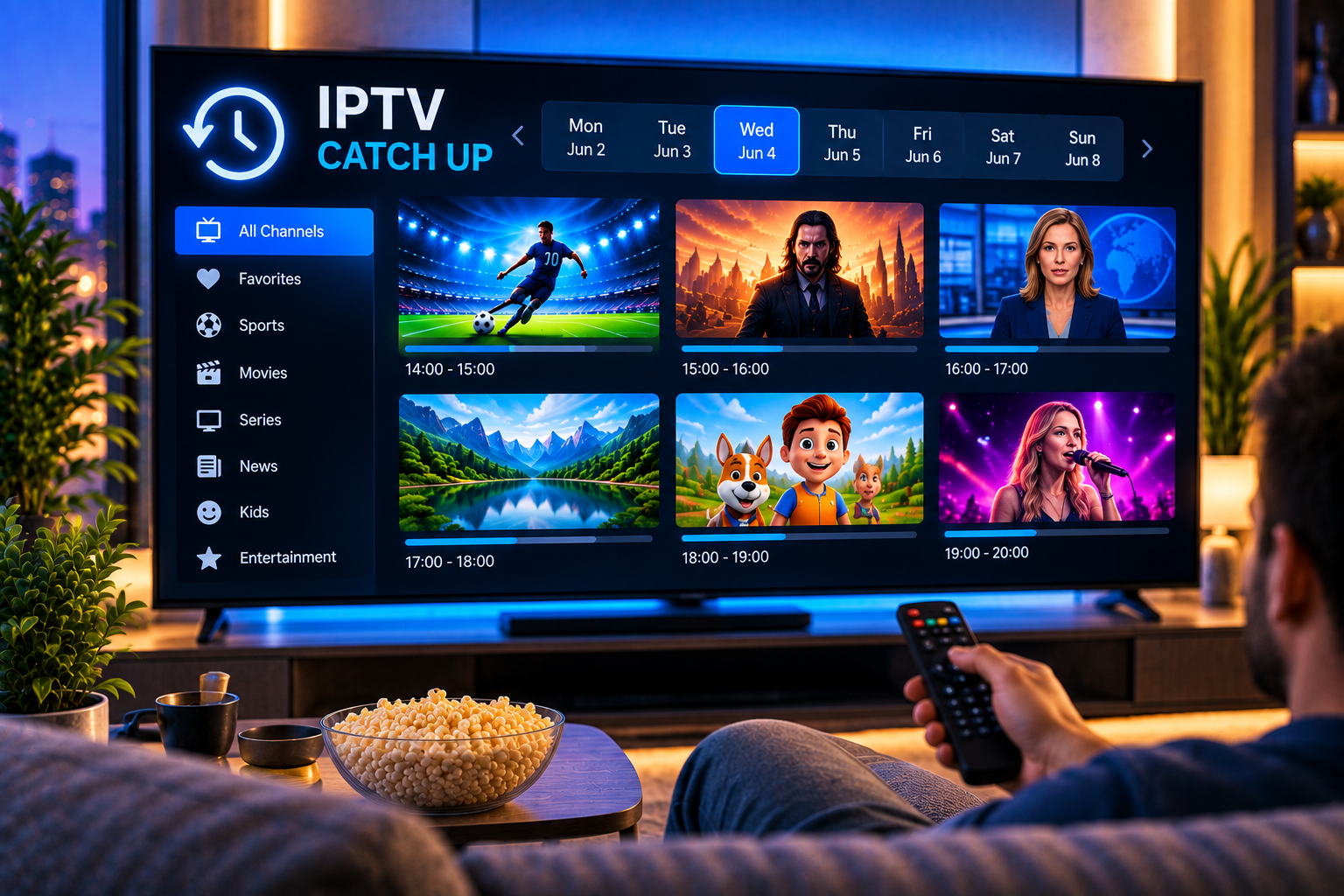
Missing a live programme does not always mean missing it completely. IPTV catch up is a playback feature that lets you return to television programmes that have already been broadcast. Instead of recording the programme yourself, you select an earlier programme from the TV guide and start watching it when convenient.
The important detail is that catch up availability depends on more than the IPTV player. The channel and service need to provide archived streams, while the application needs to support their playback. An electronic programme guide, commonly called an EPG, usually provides the interface for finding previous broadcasts. This distinction is important because an app can support catch up without making catch up available on every channel.
What Does IPTV Catch Up Mean?
Catch up TV is essentially a temporary archive of previously broadcast live television. When supported, programmes are stored on a server for a limited period. The viewer can then open the programme guide, move backwards through the schedule and select an earlier show.
This makes the feature useful for news, entertainment, documentaries, television series and other scheduled programming. Instead of organising your day around a live broadcast, you can return to available content later.
The retention period is not universal. It depends on the service and individual channel. Some services may retain programmes for only a short period, while others can make several previous days available. The competitor documentation reviewed for this guide describes periods ranging from around 24 hours to seven days, depending on the channel.
How Does IPTV Catch Up Work?
The easiest way to understand the system is to separate it into three parts: the live channel, the archived stream and the EPG.
During a live broadcast, supported content is retained on the provider side. Programme information appears inside the EPG with details such as programme name, channel and broadcast time. When you select an earlier programme, the player requests the archived stream rather than the current live stream.
That is why catch up normally does not consume your television’s storage. In a typical setup, the programme is streamed again from a remote server. This also explains why installing an application with catch up controls does not automatically give every channel a replay function. Reddit discussions around TiviMate repeatedly make this distinction: the player can provide the interface, but the underlying service still needs to supply catch up content.
What You Need for Catch Up TV
Three elements generally need to work together.
First, the channel must have archived programming available. Second, your IPTV application must understand and play those archived streams. Third, the EPG needs enough programme information for you to navigate to earlier broadcasts.
If one element is missing, the feature can appear unavailable even though the other parts work correctly. A working live channel therefore does not necessarily mean that the same channel can be watched retrospectively.
How to Watch a Previous Programme
The exact menu names vary between IPTV players, but the basic process is usually straightforward. Open your IPTV player and enter the live TV section. Open the EPG or programme guide, choose the channel you want and move backwards through its schedule.
Select the programme that has already finished. If catch up is available, the application should offer playback or simply start the archived programme. Some players use a clock symbol or another visual marker to identify programmes that can be replayed.
If you are setting up IPTV for the first time, following a clear installation guide can help ensure that the player, account details and programme guide are configured correctly before you troubleshoot catch up itself.
Why EPG Matters
The EPG is more than a list showing what is currently on television. For catch up, it acts as the navigation layer between the viewer and previously broadcast content.
Without historical programme information, you may have no practical way to select an archived show. Some applications also determine how many previous days of EPG data they retain locally. The competitor documentation specifically notes that application settings for past EPG data can affect how far backwards the viewer can navigate.
IPTV Catch Up Versus VOD
Catch up TV and video on demand can look similar because both let you watch something outside its original live broadcast. Technically, however, they serve different purposes.
Catch up is tied to the television schedule. A programme appears because it was previously broadcast on a live channel. Its availability is normally temporary.
VOD is a separate library. Movies or series are organised as individual titles and do not need to have been shown recently on a live channel. They may remain available independently of the EPG.
This distinction is useful when browsing a large IPTV channel selection because live channels, catch up programmes and VOD libraries may appear in different areas of the player.
Catch Up Versus Recording
Recording works differently again. With local recording, your device or connected storage normally saves the programme for later viewing. That means storage capacity matters, and the recording may need to be started or scheduled.
Catch up generally requires no advance planning from the viewer. If the programme is archived by the service, it can be opened afterwards during its availability period. The disadvantage is that the programme eventually expires.
For something you want to keep for longer, recording can therefore be more suitable where your application and content rights permit it. For something you simply missed yesterday, catch up is usually more convenient.

Why Is Catch Up Not Available on Every Channel?
Availability can vary significantly between channels. Content rights, technical infrastructure and the way individual streams are delivered can all influence whether previous broadcasts are retained.
Live sporting events can be particularly inconsistent. Some dedicated event or PPV streams may not have a normal EPG, which makes traditional catch up unavailable. A match carried on a regular scheduled television channel may behave differently.
You can encounter the same distinction across other IPTV ecosystems, including services such as Viking IPTV. Whatever service is being considered, users should check actual channel level catch up availability rather than assuming that an application’s support means every stream includes replay.
Why Is IPTV Catch Up Not Working?
A systematic check is more useful than repeatedly reinstalling the application.
Check Whether the Channel Supports It
Start with another programme on the same channel, then test another channel. If catch up works elsewhere, your device and player are probably functioning and the issue may be specific to that channel or programme.
Refresh the EPG
An outdated or incomplete programme guide can prevent older programmes from appearing correctly. Refresh the EPG from your application’s settings and allow it time to reload.
Check Past EPG Settings
Some IPTV players let you choose how many previous days of programme information remain visible. If this setting is too low, archived programmes may exist while their programme entries are no longer displayed.
Restart the Player and Device
Application cache problems or temporary connection errors can interfere with playback. Close the IPTV player completely and reopen it. If the problem remains, restart your Smart TV, streaming box, phone or computer.
Test Your Internet Connection
Catch up is still streaming video, so connection quality matters. If live TV and archived programmes both buffer, test the network rather than assuming the archive is faulty. Ethernet can provide more consistent performance than weak WiFi, especially for high resolution streams.
Does Catch Up Use Extra Storage?
Normally, not on the viewing device. The archived television programme is generally stored remotely and streamed when requested.
This is one of the main differences between catch up and local recording. A device with limited internal storage can still use server-based catch-up if the player and service support it. A Reddit user, for example, described using catch up on a Chromecast without relying on substantial local storage, reflecting the server based nature of the feature.
Is Catch Up Available on Smart TVs and Mobile Devices?
Catch up is not restricted to one type of screen. It can work on Smart TVs, Android TV devices, streaming boxes, phones, tablets and computers when the chosen application supports the required IPTV format and replay functionality.
The interface can differ considerably. A television application may let you navigate backwards with the remote, while a mobile player may use a calendar, timeline or programme list. The underlying idea remains the same: select a previous programme from available EPG history and request its archived stream.
FAQ About IPTV Catch Up
How Far Back Can IPTV Catch Up Go?
There is no universal limit. The retention period is determined by the service and channel. The reviewed competitor documentation describes examples ranging from 24 hours to seven days.
Can I Pause or Rewind Catch Up TV?
Many compatible players provide normal playback controls, including pause and seeking backwards or forwards. Exact controls can vary by application and stream.
Does Every IPTV App Support Catch Up?
No. Many modern players support it, but application support alone is not enough. Catch up content also needs to be available from the service and channel.
Is Catch Up the Same as Restart TV?
Not exactly. Restart functionality typically lets you return to the beginning of a programme that is currently being broadcast. Catch up normally refers to accessing programmes that have already finished.
Make Catch Up Part of a More Flexible TV Setup
IPTV catch up is most useful when you want television to fit your schedule rather than the other way around. Check channel availability, EPG support, device compatibility and replay periods before relying on the feature for programmes you do not want to miss. For a flexible IPTV setup with live television, sports, movies and series across supported devices, explore Sverige IPTV and choose the setup that matches how you prefer to watch.