IPTV can deliver live television, sports, movies, and series over an internet connection, but every hour of streaming transfers data. If you have unlimited home broadband, this may not matter much. If you use mobile data, a hotspot, or an internet plan with a monthly allowance, understanding IPTV data usage becomes much more important.
The amount of data IPTV uses is not fixed. It depends mainly on video resolution, bitrate, compression technology, viewing time, and the number of devices streaming at once. A standard-definition channel may use less than 1 GB in an hour, while a high-bitrate 4K stream can consume more than 10 GB during the same period.
This guide explains realistic data consumption for HD, Full HD, and 4K IPTV, how to estimate monthly usage, and what you can do to reduce unnecessary data consumption.
Quick IPTV Data Usage Breakdown
Here is a practical estimate based on typical streaming bitrates:
| Stream Quality | Typical Bitrate | Approx. Data Per Hour |
|---|---|---|
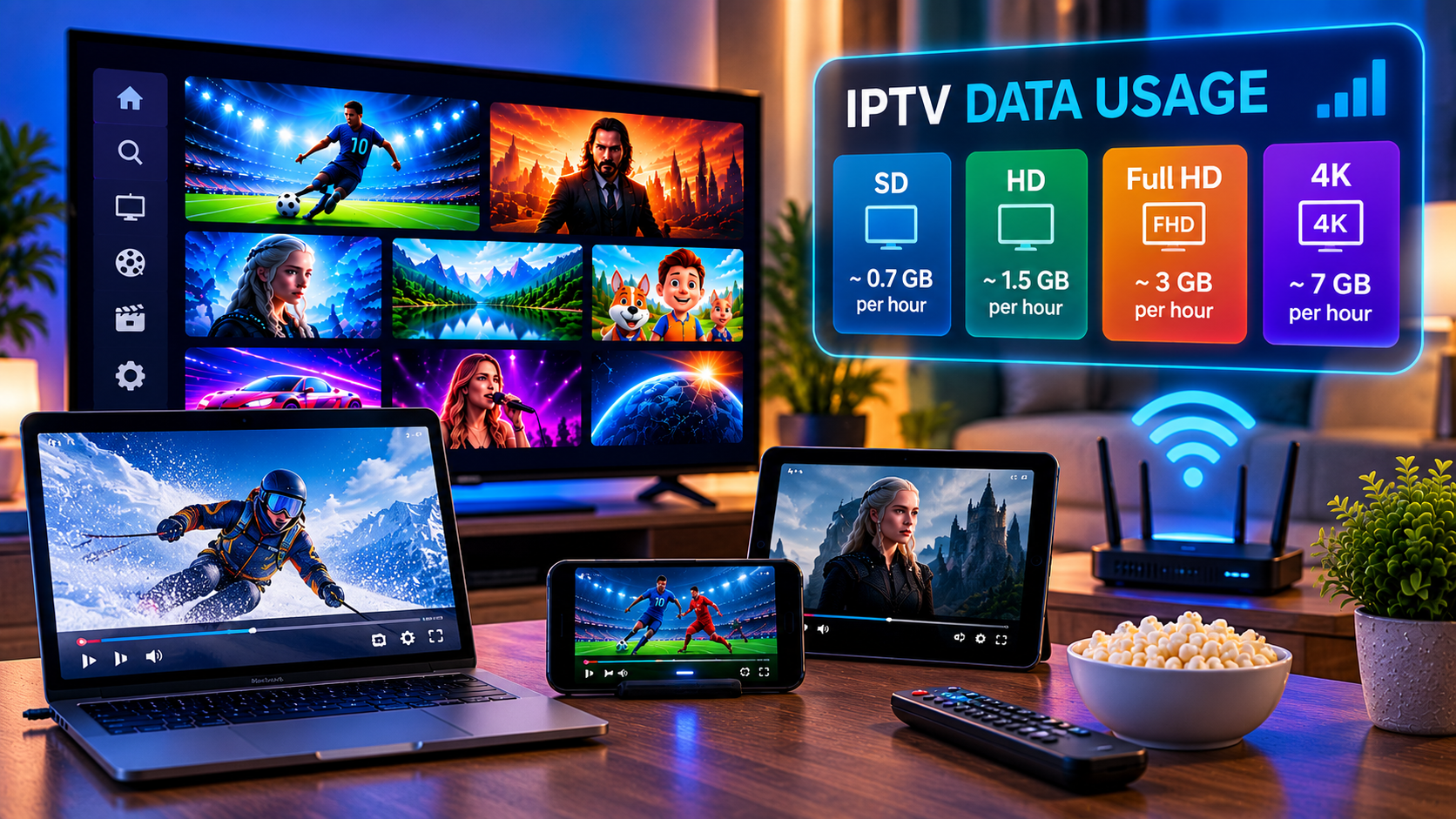
| SD 480p | 1.5–3 Mbps | 0.7–1.4 GB |
| HD 720p | 3–5 Mbps | 1.4–2.3 GB |
| Full HD 1080p | 5–8 Mbps | 2.3–3.6 GB |
| 4K UHD 2160p | 15–25 Mbps | 6.8–11.3 GB |
These numbers should be treated as estimates rather than fixed limits. Two IPTV channels with the same resolution can still use different amounts of data because their bitrates, codecs, frame rates, and encoding settings may differ.
What Determines IPTV Data Usage?
Resolution is important, but it is only one part of the calculation.
Video Resolution
Higher resolutions contain more visual information.
SD streams have fewer pixels than HD streams, while 4K contains substantially more image detail than Full HD. Higher-resolution video therefore usually requires a higher bitrate and transfers more data.
Bitrate
Bitrate is one of the most important factors affecting IPTV data consumption. It represents how much video data is transmitted every second and is normally measured in megabits per second, or Mbps.
For example, an 8 Mbps Full HD channel will use considerably more data than a compressed 5 Mbps Full HD channel even though both are displayed at 1080p.
A useful calculation is:
Data per hour in GB ≈ bitrate in Mbps × 0.45
A 6 Mbps stream therefore uses approximately:
6 × 0.45 = 2.7 GB per hour
Actual network consumption can vary slightly because of buffering and other connection overhead.
Video Compression
Modern codecs can deliver similar visual quality while transferring less information.
H.265, also known as HEVC, is generally more efficient than older H.264 encoding. This means two channels showing the same resolution may have noticeably different data requirements.
The codec used by the stream, device compatibility, and provider encoding settings can therefore affect your final usage.
How Much Data Does HD IPTV Use?
HD typically refers to a resolution of 1280 × 720 pixels.
An HD IPTV channel commonly operates around 3–5 Mbps, which equals roughly 1.4–2.3 GB per hour.
If you watch HD television for two hours every day, your monthly consumption could be approximately:
84–138 GB per month
At four hours per day, that could increase to roughly:
168–276 GB per month
HD can therefore be a useful balance between picture quality and data consumption, particularly for smaller televisions, tablets, laptops, and mobile connections.
If you watch IPTV directly on television, proper configuration can also improve the experience. Sverige IPTV provides a dedicated Smart TV installation guide for users setting up compatible television devices.
How Much Data Does Full HD IPTV Use?
Full HD, commonly called 1080p, is one of the most popular resolutions for live television and sports.
A Full HD IPTV stream often runs between 5 and 8 Mbps. That translates to approximately 2.3–3.6 GB of data per hour.
Watching two hours per day could therefore consume around:
138–216 GB per month
Watching four hours per day could require approximately:
276–432 GB per month
For households that regularly watch television for several hours each evening, Full HD streaming can quickly account for hundreds of gigabytes of monthly internet traffic.
Sports can sometimes sit toward the higher end of the range because fast movement is harder to compress efficiently while maintaining image detail.
How Much Data Does 4K IPTV Use?
4K UHD normally has a resolution of 3840 × 2160 pixels, providing four times as many pixels as Full HD.
The additional detail requires considerably more bandwidth.
A 4K IPTV stream might operate at approximately 15–25 Mbps depending on compression and stream quality. That works out to roughly 6.8–11.3 GB per hour.
Two hours of daily 4K viewing could consume approximately:
408–678 GB per month
Four hours each day could reach:
816 GB to more than 1.3 TB per month
This makes 4K the biggest concern for people using capped broadband or mobile hotspots.
Other IPTV services, including Viking IPTV, also provide different streaming qualities, illustrating why resolution and stream selection are important considerations when estimating internet consumption.
Does IPTV Use More Data Than Other Streaming Services?
Not necessarily.
The important factor is usually the bitrate of the video rather than whether the service is technically IPTV, live television, or video on demand.
A 1080p stream encoded at 6 Mbps will transfer approximately the same amount of video data whether it comes from a live channel or another type of internet streaming platform.
However, live television can create different viewing habits.
People may leave a live channel running for several hours, while movies or individual videos usually have a defined ending. Some streaming devices can also continue receiving a stream if the IPTV application has not been properly closed.
For this reason, viewing time can be just as important as resolution.
Can IPTV Continue Using Data When the TV Is Off?
In some setups, yes.
Turning off the television screen does not always stop the separate streaming device connected to it.
For example, if an Android TV box, streaming stick, or similar device remains active with an IPTV application playing in the background, the stream may continue transferring data.
To prevent unnecessary consumption:
- Exit the live channel before turning off the television.
- Return to the streaming device’s home screen.
- Close the IPTV application when you finish watching.
- Check device-level data statistics if unexplained usage appears.
- Restart streaming devices occasionally if applications remain active unexpectedly.
This can be especially important for households with monthly broadband limits.
How Multiple Devices Affect IPTV Data Usage
Each active stream consumes its own bandwidth and data.
Imagine that one television is playing Full HD IPTV at 6 Mbps while another device is watching another Full HD channel at the same bitrate.
Instead of approximately 2.7 GB per hour, the household could use about 5.4 GB per hour.
Three simultaneous streams would increase consumption again.
The same principle applies to internet speed. Your broadband connection must have enough available bandwidth for every stream plus other activities such as browsing, gaming, cloud backups, and video calls.
How to Reduce IPTV Data Usage
You do not always need to stop watching IPTV to reduce consumption. Small changes can make a noticeable difference.
Lower the Streaming Resolution
Switching from 4K to Full HD can dramatically reduce hourly consumption. On smaller screens, the visual difference may also be less noticeable.
Choose a Lower-Bitrate Stream
Some IPTV platforms provide several versions of the same channel. Selecting a lower-bitrate option can reduce data usage even when the displayed resolution remains acceptable.
Avoid Leaving Channels Running
Live television consumes data continuously. If nobody is watching, close the stream rather than leaving it playing in the background.
Use Wi-Fi Instead of Mobile Data
Mobile data plans often have much smaller allowances than home broadband connections. Full HD and particularly 4K viewing can consume mobile allowances quickly.
Monitor Your Router
Many modern routers show how much data each connected device uses. Monitoring television boxes, Smart TVs, phones, and computers can help identify unexpected consumption.
How Much Monthly Data Do You Need for IPTV?
Your ideal allowance depends on your viewing habits.
Someone watching HD IPTV for one hour per day may only require roughly 40–70 GB per month for IPTV itself. A household watching Full HD for four hours daily could use around 276–432 GB.
Regular 4K viewing can easily move monthly consumption beyond 500 GB and may exceed 1 TB for heavy users.
Remember that IPTV is only one part of your internet usage. Software updates, social media, gaming downloads, cloud storage, video calls, and other streaming platforms all contribute to the same monthly total.
FAQ About IPTV Data Usage
How Much Data Does IPTV Use Per Hour?
IPTV can use roughly 0.7 GB to more than 11 GB per hour depending on resolution and bitrate. HD commonly uses around 1.4–2.3 GB, Full HD around 2.3–3.6 GB, and 4K approximately 6.8–11.3 GB per hour.
Does 4K IPTV Use Much More Data Than Full HD?
Yes. A Full HD stream may operate around 5–8 Mbps, while 4K can require roughly 15–25 Mbps. As a result, 4K may consume several times more data per hour.
Does IPTV Use Data When Paused?
It depends on the IPTV application and stream technology. Some applications stop downloading video when playback is stopped, while others maintain a limited buffer. Fully exiting the stream is the safer option when trying to minimize data consumption.
Is 100 GB Enough for IPTV?
It can be enough for light viewing. At approximately 2.5 GB per hour, 100 GB provides about 40 hours of streaming. Heavy Full HD or 4K viewers will normally require substantially more.
Final Thoughts
IPTV data usage depends primarily on bitrate, resolution, compression, viewing time, and the number of simultaneous streams. HD may consume around 1.4–2.3 GB per hour, Full HD around 2.3–3.6 GB, while 4K can require roughly 6.8–11.3 GB or more. Understanding these numbers makes it easier to choose the right viewing quality and internet plan for your household. If you want access to live TV, sports, movies, and series across compatible devices, explore Sverige IPTV and choose a streaming setup that suits your viewing needs.